Minecraft PC IP: play.cubecraft.net

Sweetenerera

Forum Professional
Jul 24, 2016
4,916
12,657
619
upload_2018-2-4_10-50-7.png


upload_2018-2-4_10-50-23.png


upload_2018-2-4_10-50-36.png


upload_2018-2-4_10-50-46.png


upload_2018-2-4_10-51-1.png
 
Last edited:

Orangeric88

Forum Expert
Apr 22, 2016
5,121
2,057
323
Planet Orange
www.cubecraft.net
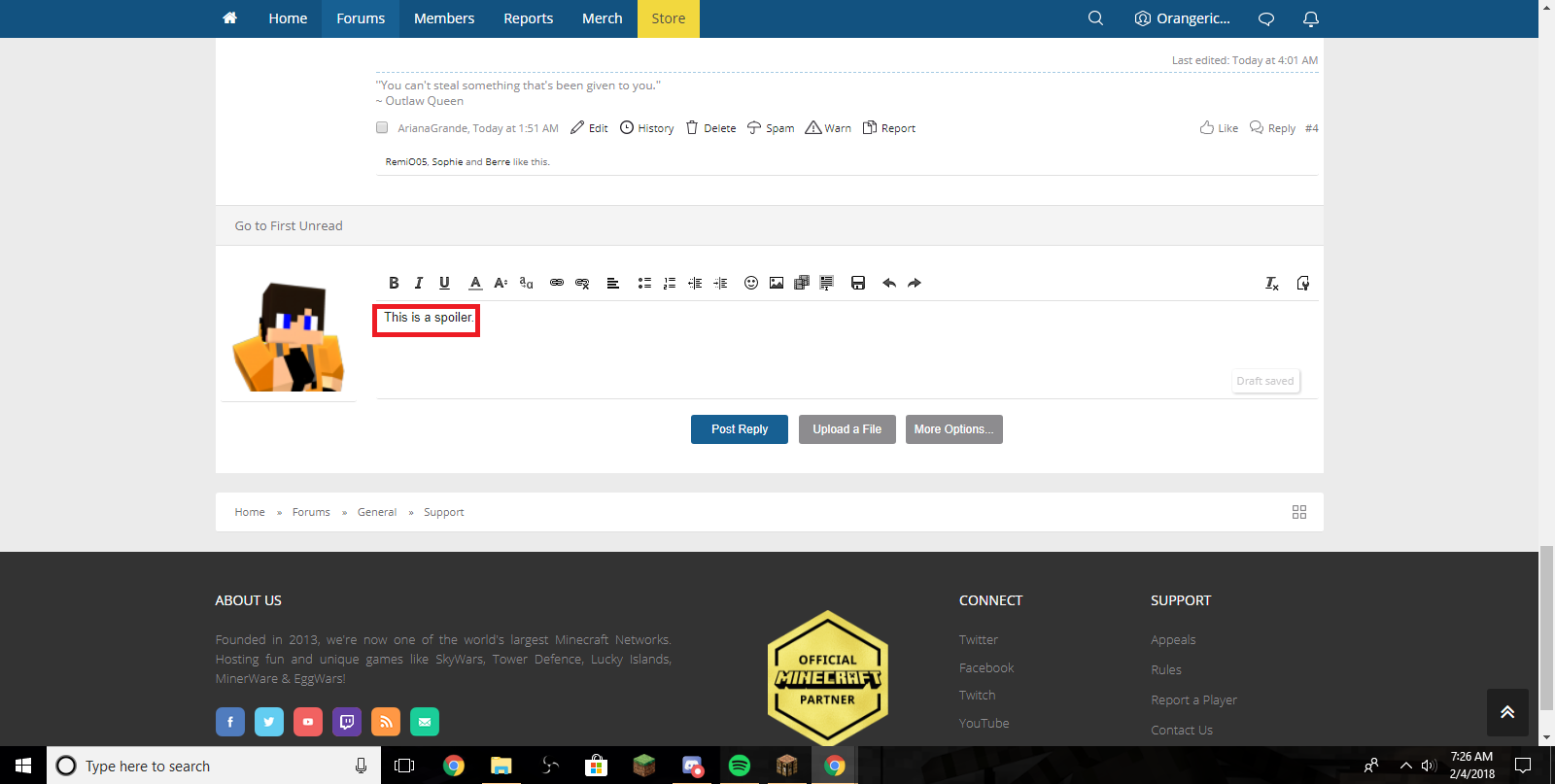
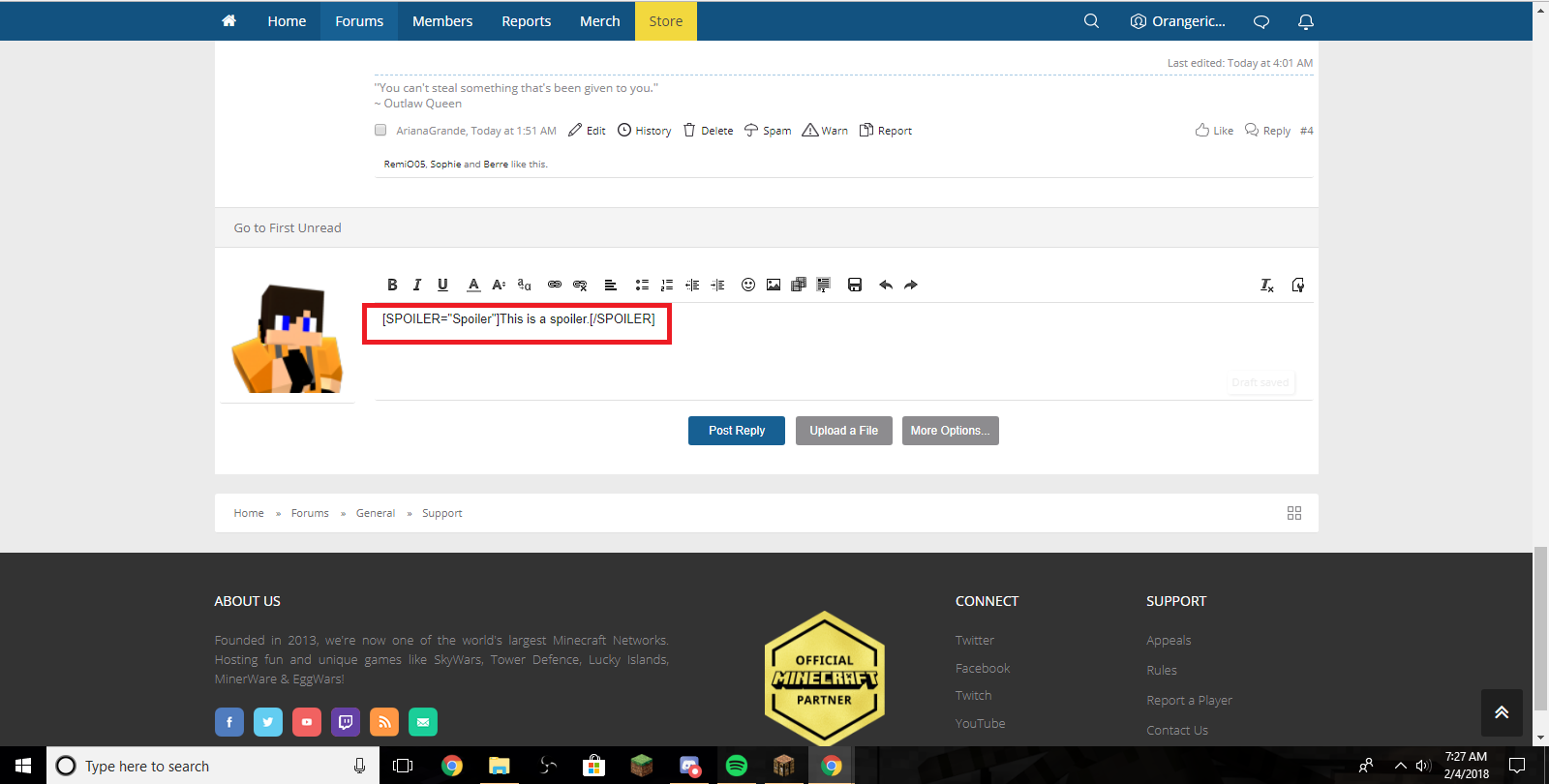
If you want to know how to make a spoiler, here are visuals to help you!

Step 1: Type in a message below that you want to make a spoiler.
hOQCIxO.png


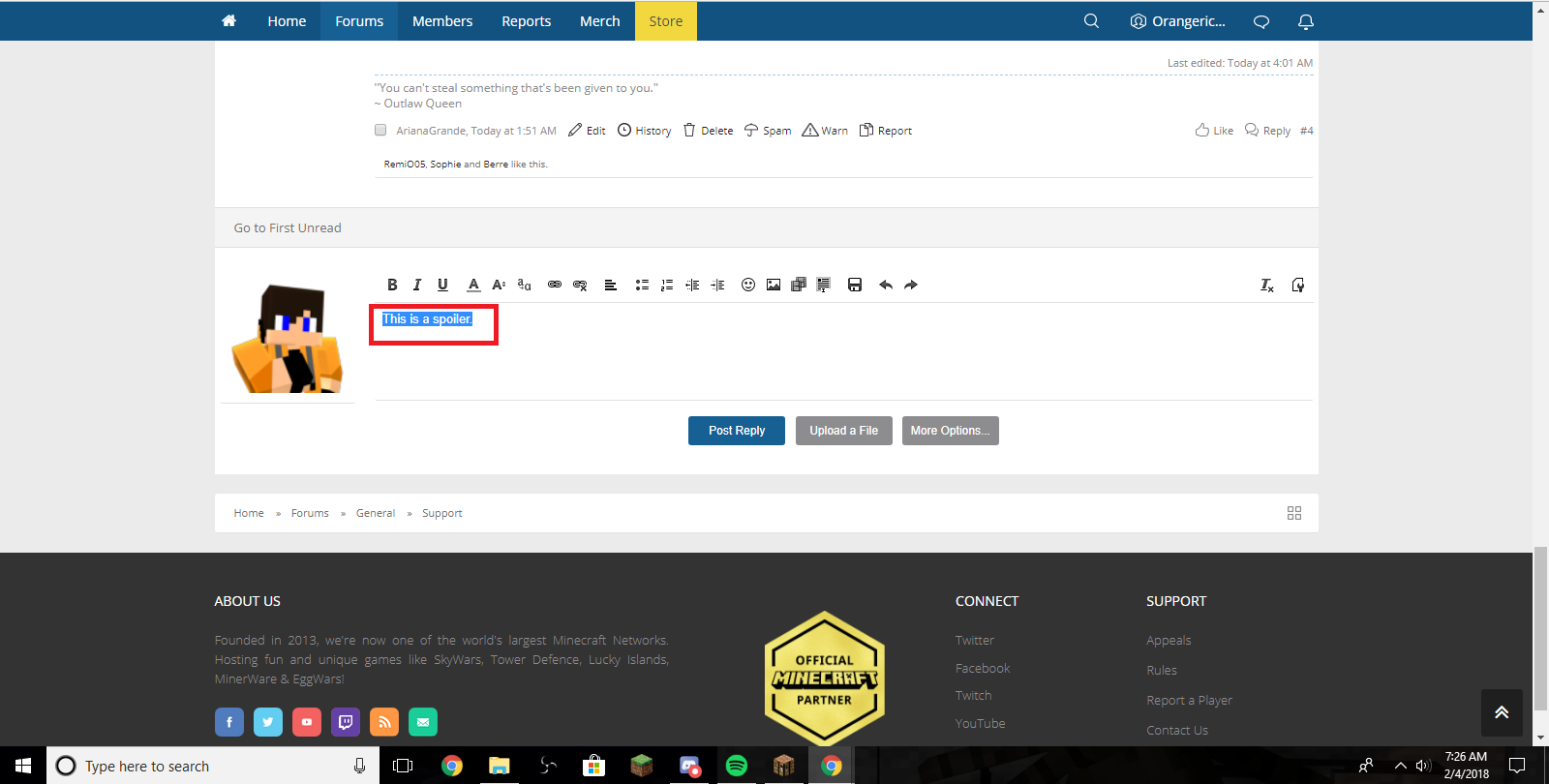
Step 2: Once you typed out the message, highlight the message you want to create a spoiler for (the thing in blue will be what appears when you click the spoiler box)
znzVV4l.png


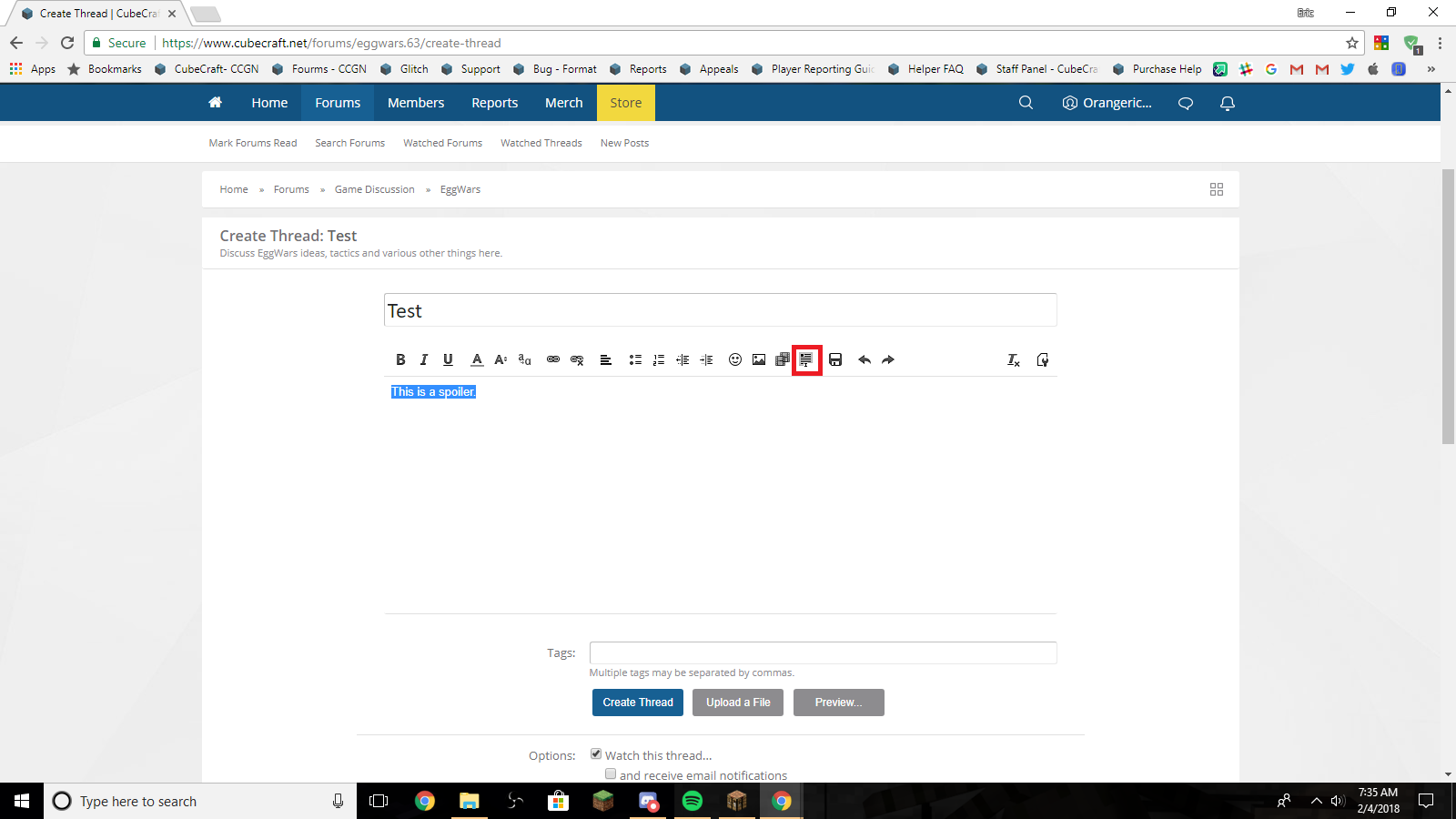
Step 3: Once highlighted, click on the box thing (it's in red)
fl57DBZ.png


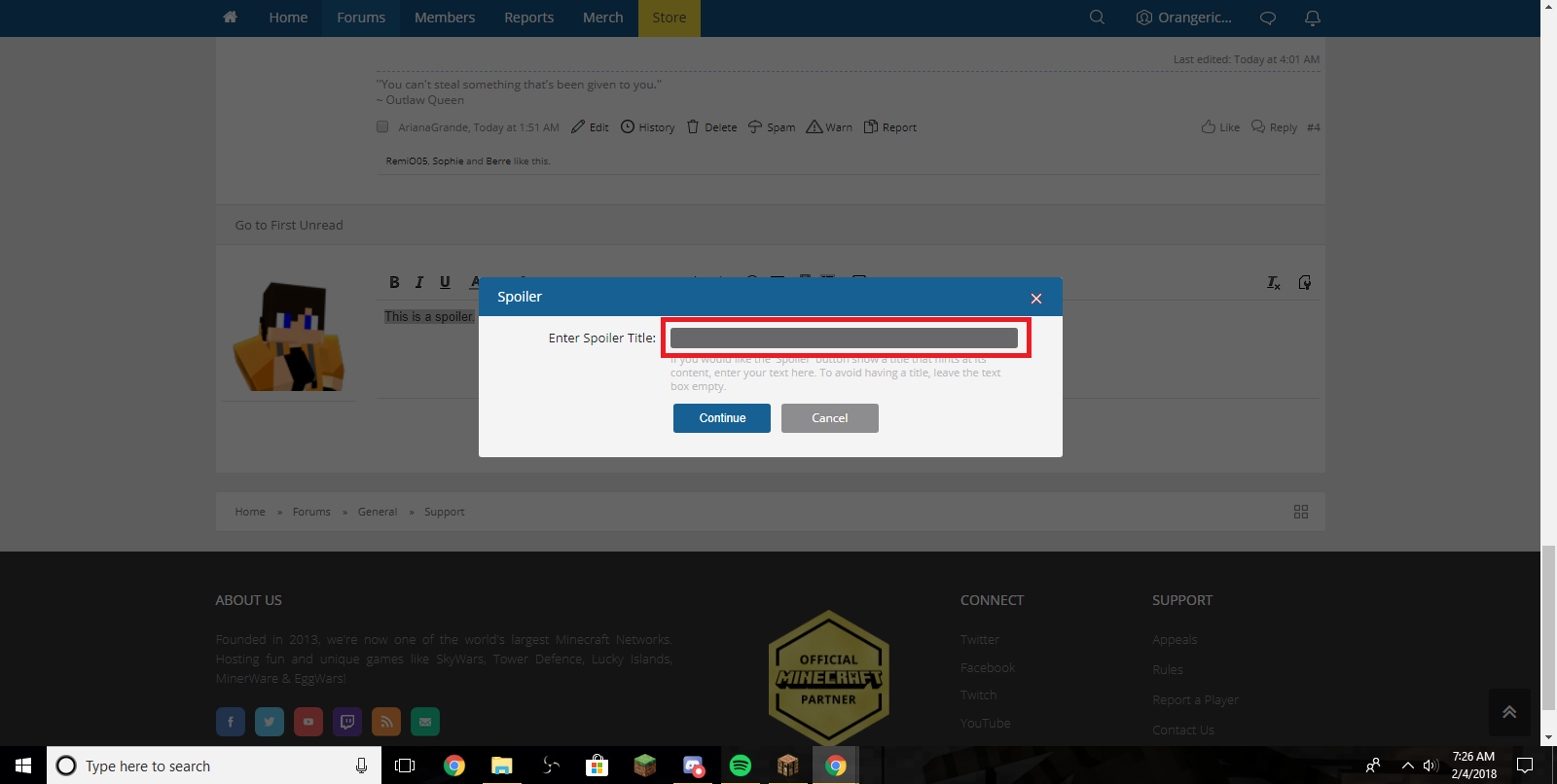
Step 4: Once you click on the box, this should appear
P4YQTMf.png


Step 5: If you want, you can type a spoiler title (e.g. Spoiler 1, Spoiler 2, etc)
1CFEFOd.png


Step 6: Once completed, it should look like this
WbOzUua.png
 
Members Online

Members online

Latest profile posts

iCoCian wrote on iTz1Hamood's profile.
موفق يالقوت <3
Itz1Helmut wrote on d8im's profile.
Thank you for the follow!
Finally Reached 50 Reaction score, less goo 🎉🎉🎉
Hope everyone is having a nice start to the summer ☀️
Top Bottom