Minecraft PC IP: play.cubecraft.net
Status
Not open for further replies.

xXNiChO_29Xx

Dedicated Member
Feb 20, 2016
792
946
168
26
I have this 1.8 Texture pack and I want to make it work in 1.9 buuuuuutt...
I don't know how to do it, does somebody know how to do it?

I ask you people because well, we are a Minecraft community so you may know C:
Thank you
 

xXNiChO_29Xx

Dedicated Member
Feb 20, 2016
792
946
168
26
Well, thank you guys!
IT worked but the Shield Space is not there :P
Thank you C:
 

telegamer

Forum Professional
Jul 28, 2015
3,175
3,811
559
25
Bansilvania
bit.ly
Just ignore the message saying that it's incompatible with 1.9. 99.9% of the times, it will still work.
It's easy to get rid of this messe though:
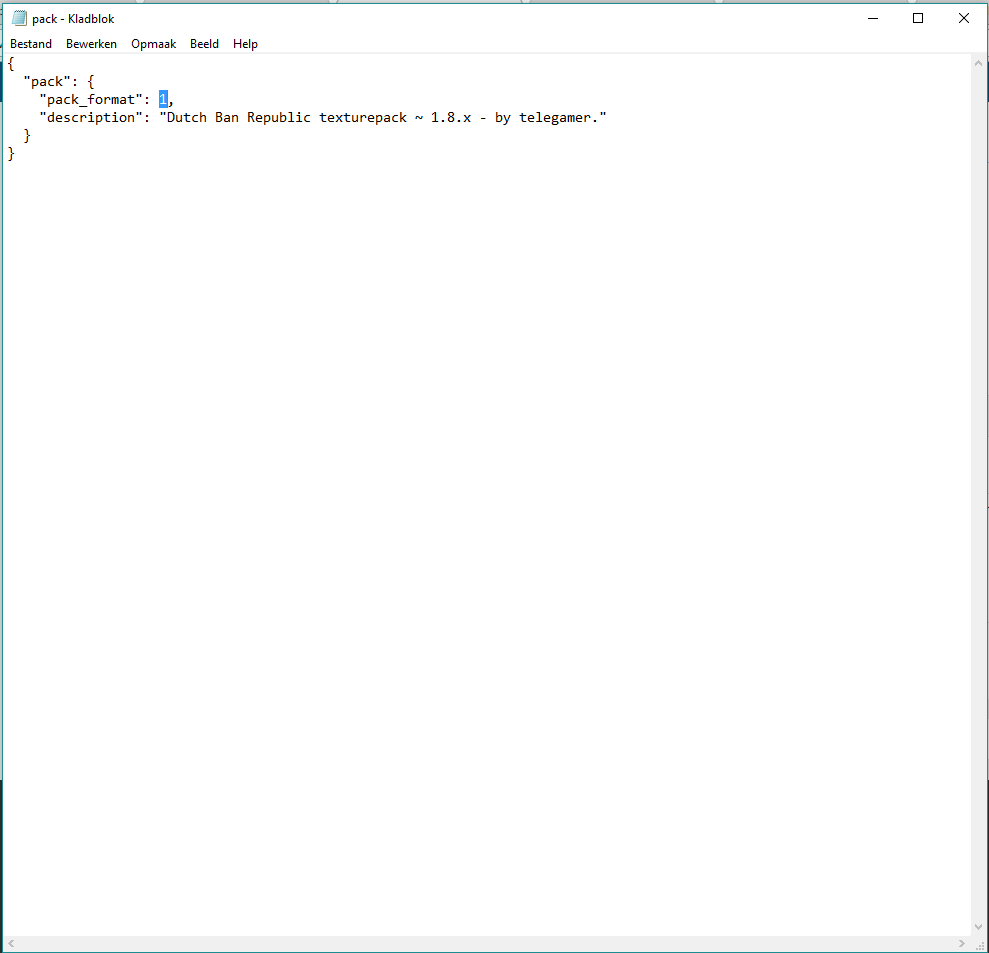
When you open the texturepack folder, you see the "pack.mcmeta" file, open this:
aaYz1WR.png

Simply replace the 1 with a 2 and you're good to go on that part! You will still need to edit some textures, but you don't have to, you can play with messed up textures ;)
 
  • Like
Reactions: xXNiChO_29Xx

Lezappen

Forum Expert
Jan 30, 2016
2,174
3,887
338
Toulouse (France)
I have this 1.8 Texture pack and I want to make it work in 1.9 buuuuuutt...
I don't know how to do it, does somebody know how to do it?

I ask you people because well, we are a Minecraft community so you may know C:
Thank you
I know how to shoot me a pm.
One thing you'll need to change for sure is the inventory GUI and the pack.mcmeta file, I downloaded faithfull 32 and copied/edited their inventory GUI.

Edit : responded as I was tagged, noticed it was locked after : /
Anyways, shoot me a pm if ever you need help.
 
Status
Not open for further replies.
Members Online

Members online

Latest posts

Latest profile posts

20k wins.png

Thanks Everyone! It was fun making this journey to 20k Mega wins together
JokeKaedee wrote on Alemiz's profile.
Happy birthdayy
Top Bottom