Minecraft PC IP: play.cubecraft.net

Status
Not open for further replies.

Cloysto

Well-Known Member
Jul 27, 2016
15
2
79
Me and my friend are trying to report a player, we can't figure out how to put a video in the forum post, can anyone help?

Thanks - Cloy :D
 

Kingstoyou

Well-Known Member
Jul 5, 2016
37
7
83
Well I upload my video to YouTube and set it to unlisted. Unlisted means only though with the given url can view the video. After the video is complete with uploading, I just copy the given url and paste onto the forums and it automatically sets the video when you post the forum.
 

zRinne

Forum Veteran
Mar 2, 2016
3,486
4,847
518
29
Cat world
www.instagram.com
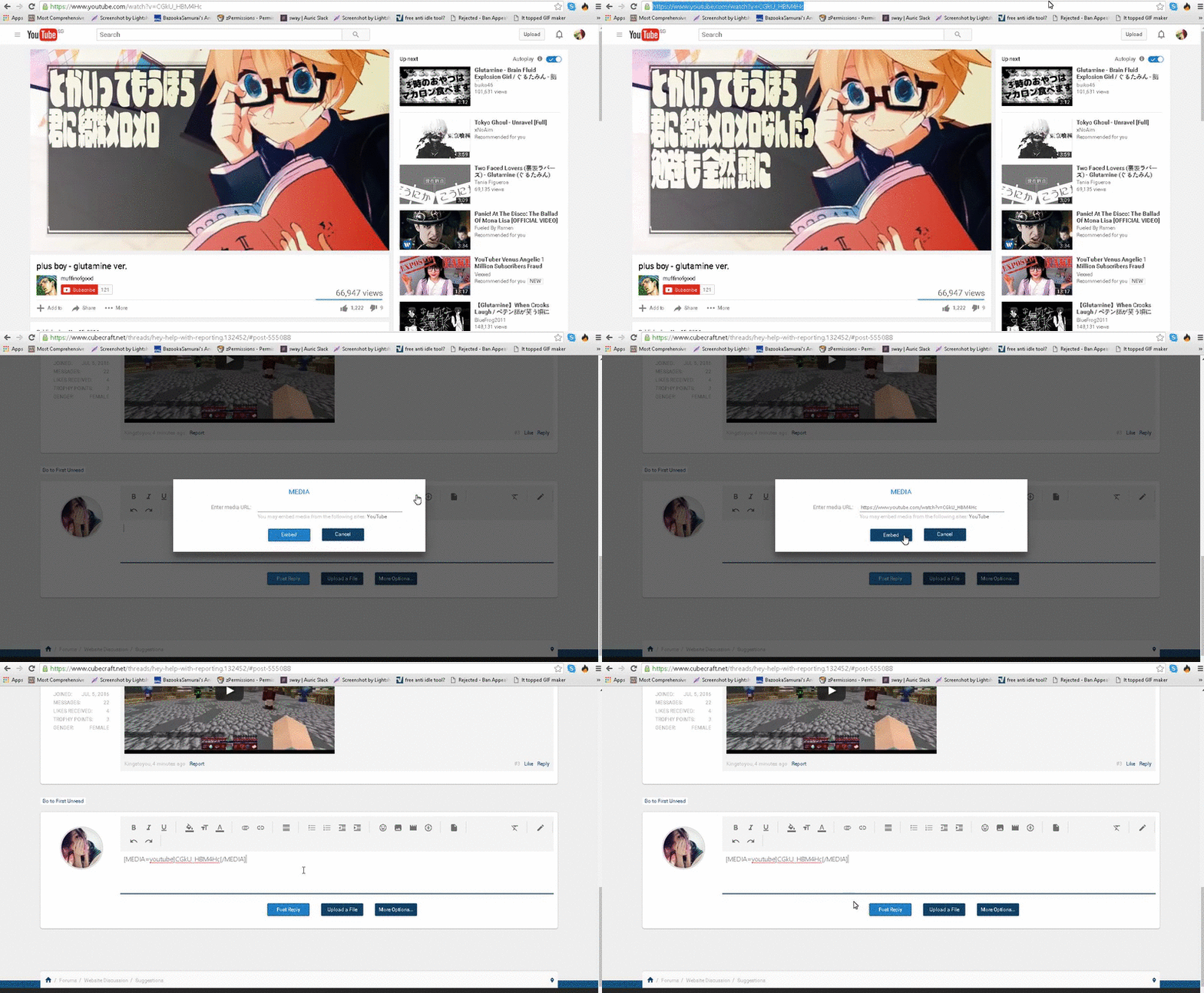
Firstly, go to the youtube video you wish to upload here. Make sure it's not private otherwise we won't be able to view it.
Secondly, click the URL and copy it.
Thirdly, do you see the media icon?
c4419b066a06464fa442964b8cceea3c.png
Click it and paste the URL in it and you're done!
Here is a video step:

It would look like this.
b8026097df1bb2b06609f3af2a115177.gif

 
Status
Not open for further replies.
Members Online

Team online

Latest profile posts

revenge wrote on Alemiz's profile.
Happy birthday!!
Thijs wrote on Alemiz's profile.
Happy Bdayyy
1000314357.jpg
my 1st minecraft skin 🥹🥰
1000314352.jpg

Even after spelling correctly it's showing "couldn't find a player with this name" 🫩😑😭
revenge wrote on One.'s profile.
Thanks for following me :)
Top Bottom